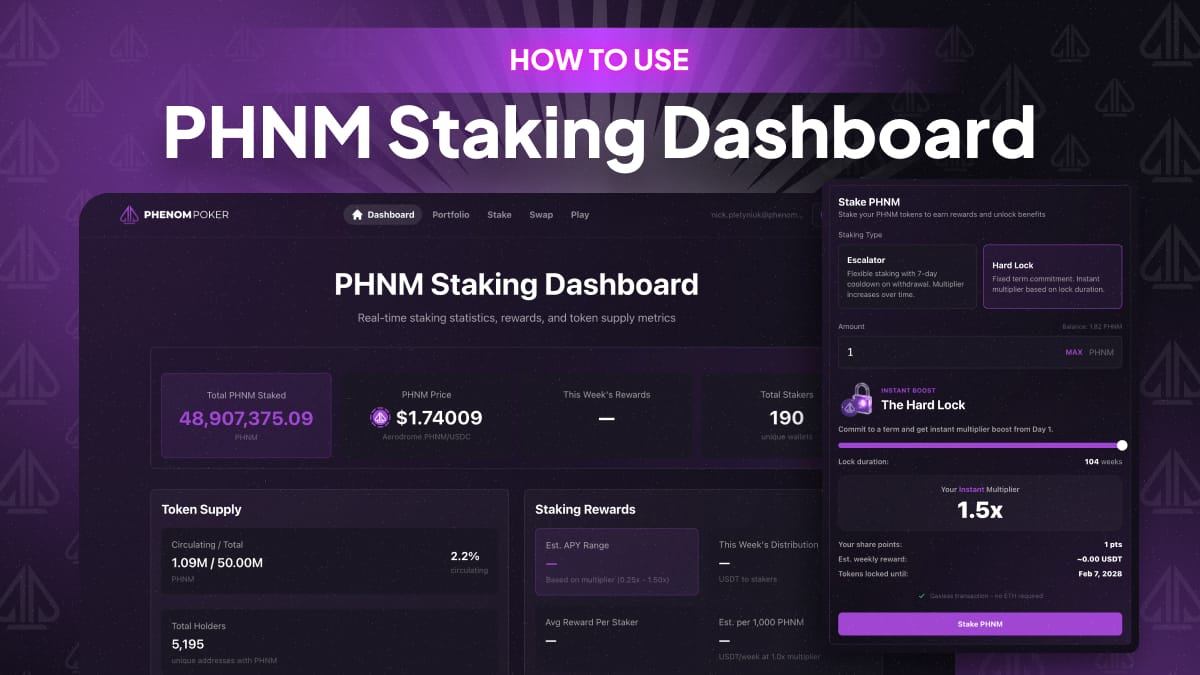
How to Use PHNM Staking Dashboard
Articles
Feb 9, 2026
In this article, we’ll take a deep dive into how PHNM token staking works, the key differences between Hard Lock and Escalator modes, and the specific advantages of each.
We’ve included a visual breakdown with screenshots and a look at the important nuances. We’ll also cover how staking affects your player status in Phenom Poker and the extra perks it unlocks for players.
The Token Dashboard
The Token Dashboard is your control panel for your PHNM tokens. If you’re a registered player, you can jump into the dashboard using the same login you use for the Phenom Poker app — no extra sign-up needed. If you’re already logged into the app, the dashboard will even connect automatically.
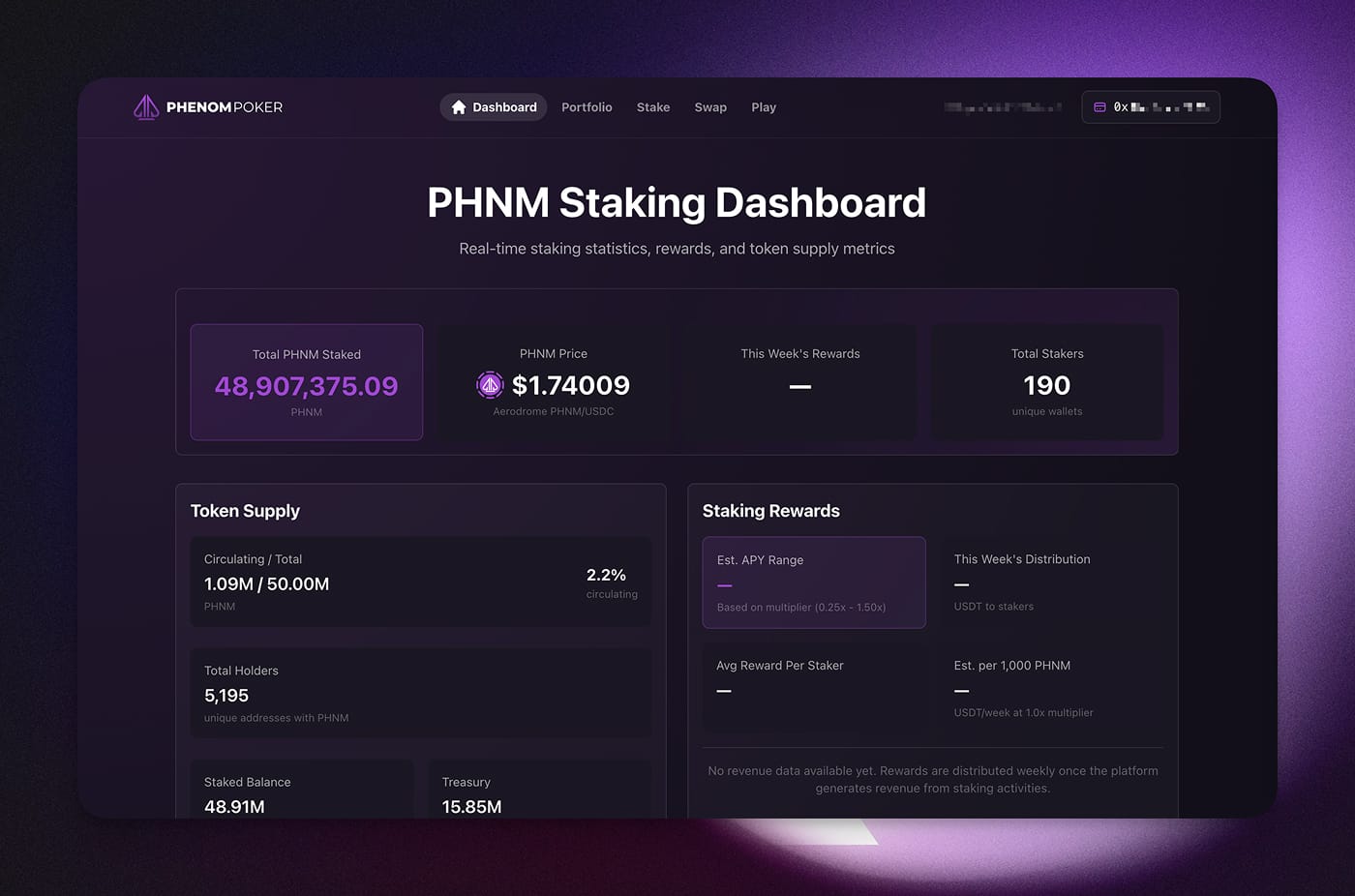
Once you’re in, you’ll hit the PHNM Staking Dashboard. This is where you’ll see live staking stats, your rewards, and key token metrics like total emission and supply. You can also keep an eye on the current token price, the number of holders, and how many people are currently staking.
Portfolio
This section gives you the full picture of your staking positions:
The number of active positions and their type (Escalator or Hard Lock).
Your balance of liquid (unstaked) tokens.
The wallet address linked to your dashboard.
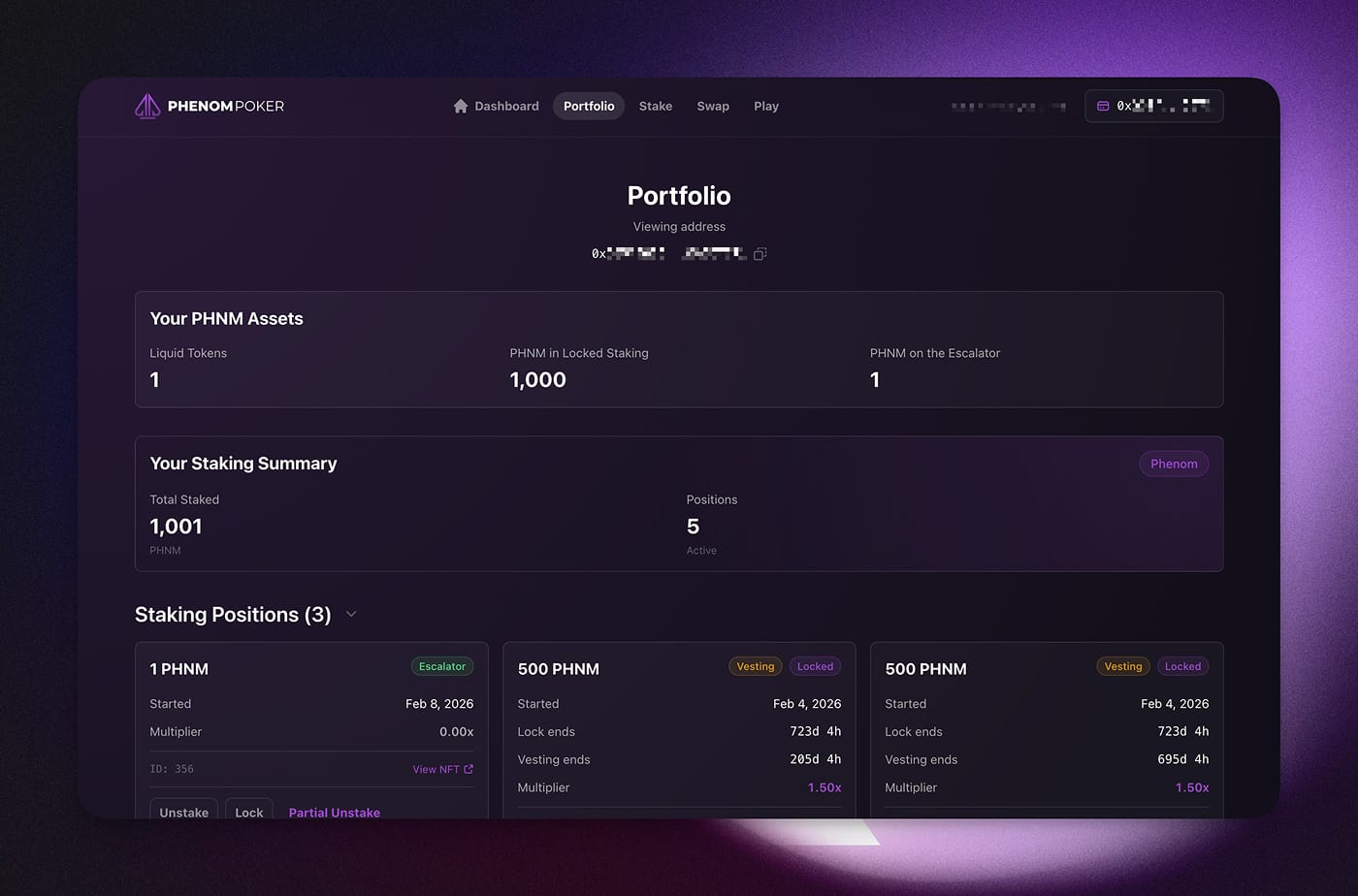
Let's dig into staking positions details:
Escalator
This is the flexible option for staking without any lock-ups.
Flexibility: You can withdraw your tokens whenever you want.The Multiplier: You start with a0.25×multiplier.Automatic Growth: This multiplier increases every week automatically.The Goal: After 24 months, you hit the maximum1.50×multiplier.Maintenance: As long as you keep your tokens staked, you keep that max multiplier.
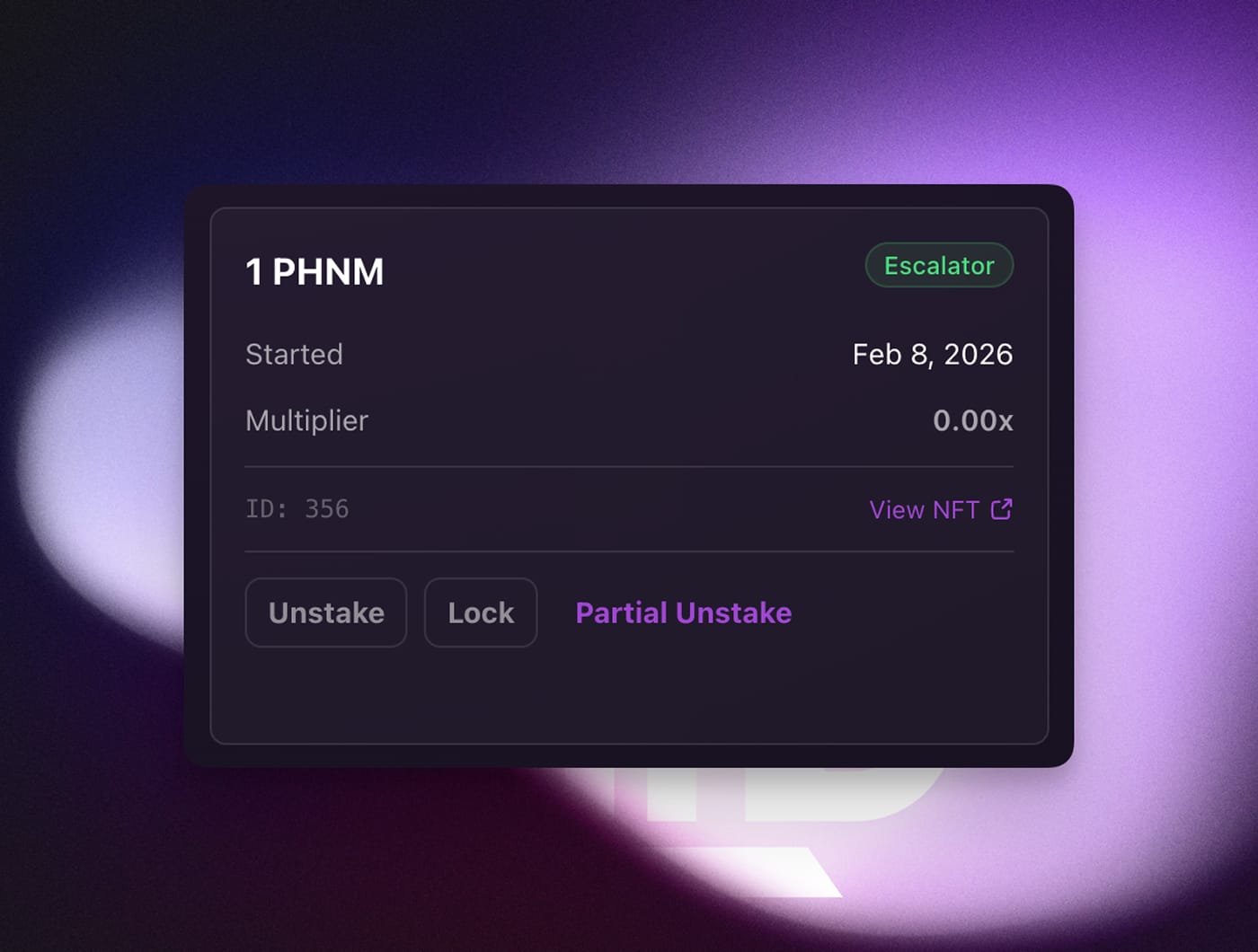
Current Staking Info: In this view, you can see your active staking type, the start date, and your current multiplier. You also have the following management tools:
Unstake: This starts the withdrawal process. It takes7 daysto unlock, after which you can sell or use your tokens.Lock: This lets you switch toHard Lockmode. You pick a duration, and the tokens stay locked until that date. In exchange, you get the max multiplier immediately.Partial Unstake: If you don't want to withdraw everything, you can pick a specific amount to pull out of an Escalator stake. (Note: The 7-day unlock period still applies).
Hard Lock
With Hard Lock, you choose a fixed term (anywhere from 4 to 104 weeks) and get the maximum reward boost on Day 1.
The Lock: For that instant upgrade, your tokens are locked for the entire period. You cannot withdraw them early.The Transition: Once the lock ends, you don't need to do anything. You keep your high multiplier, and the tokens automatically move intoEscalatormode — they’ll even continue growing toward the max cap if you aren't there yet.
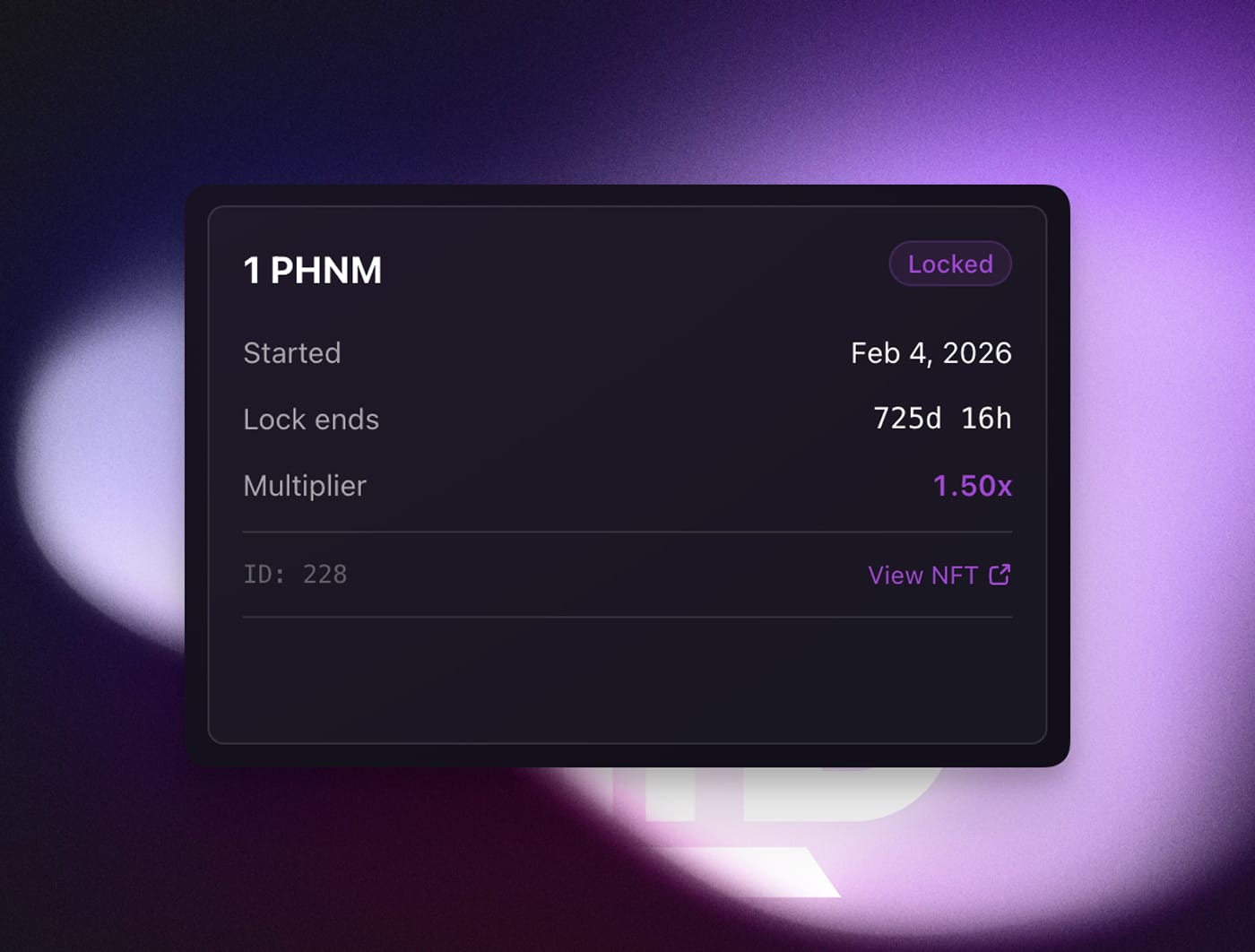
In the Hard Lock mode, the dashboard displays all your essential info: the start and end dates of your staking period, as well as your current multiplier (reward coefficient).
Stake
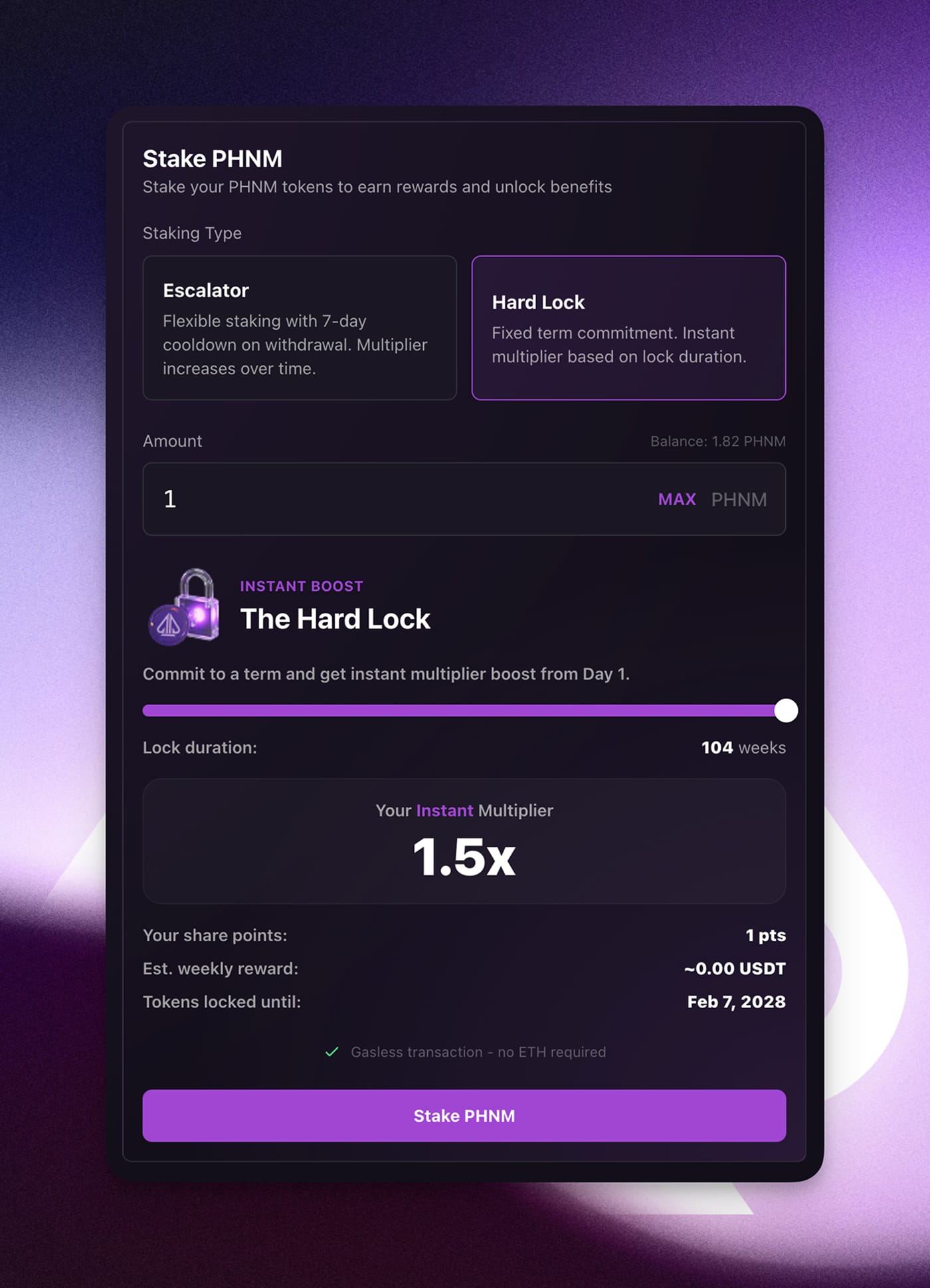
To stake your PHNM tokens, head over to the Stake tab and pick the staking type that works for you — either Hard Lock or Escalator. From there, just enter the number of tokens you want to stake and, if you chose Hard Lock, select your duration.
As you adjust the duration, you’ll be able to see exactly how your multiplier changes in real-time.
A summary of your position is displayed right below. Once you're ready to go, simply click the "Stake PHNM" button to finalize.
Both paths lead to the same goal. Here is a breakdown of how your rewards grow over time (keep in mind that they increase every week — only the key milestones are shown here).
|
|
|
|---|---|---|
| Day 1 | 0.25x |
| 12 Weeks | 0.50x |
| 26 Weeks | 0.75x |
| 52 Weeks | 1.00x |
| 78 Weeks | 1.25x |
| 104 Weeks | 1.50x (MAX) |
Swap – Exchanging Tokens
The Swap section is where you handle your trades.
Note: A native withdrawal feature is coming in the next few days, and we’ll update this guide when it’s live.
Currently, you can:
Buy PHNM tokens.
Swap PHNM for USDC (on the Base network).
How to swap:
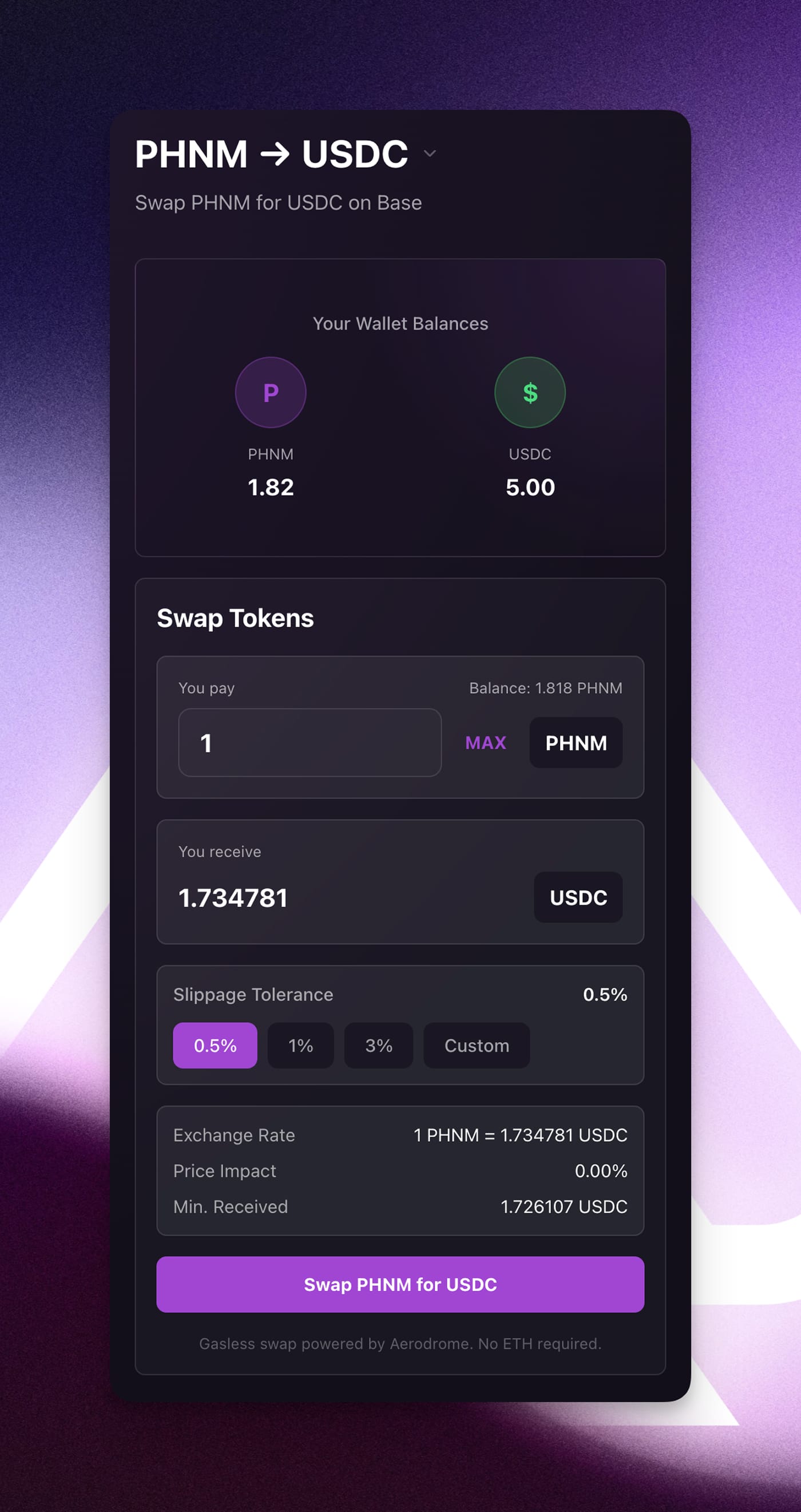
Select the tokens you want to exchange in the top menu (e.g., PHNM → USDC).
Enter the amount of PHNM. The system will show you exactly how much USDC you’ll get.
Slippage: We recommend0.5%. Don’t set it higher unless it's actually necessary.Confirm the trade, and your USDC will show up in your wallet.
Tier Warping – The Staking Bonus
(Coming in the next few days)
You can now skip the grind and get a higher player level and better rakeback by staking $PHNM:
Stake 50 - 499 $PHNM→ AutomaticSilver TierStake 500 - 4,999 $PHNM→ AutomaticGold TierStake 5,000+ $PHNM→ AutomaticPlatinum Tier
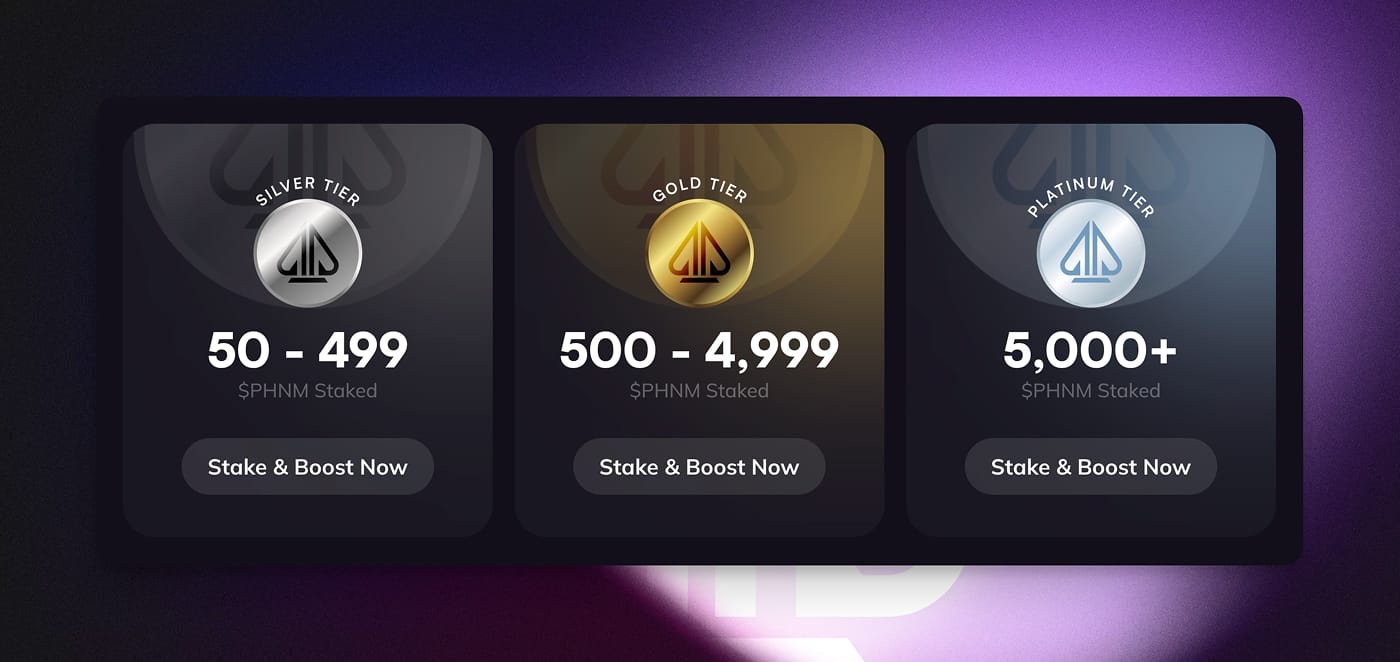
You don't have to put everything into a Hard Lock to get these statuses. For example, to hit Gold, you could have 250 tokens in Escalator and 250 in Hard Lock. The system just looks at the total amount staked.
Note: You can still level up the old-fashioned way by playing poker; buying $PHNM is never mandatory. However, if you withdraw your tokens, your status will drop back down to whatever level you’ve earned through regular play.
As always, we’re grateful to every player who’s joined us. We’re going to keep working hard to make Phenom Poker even better.